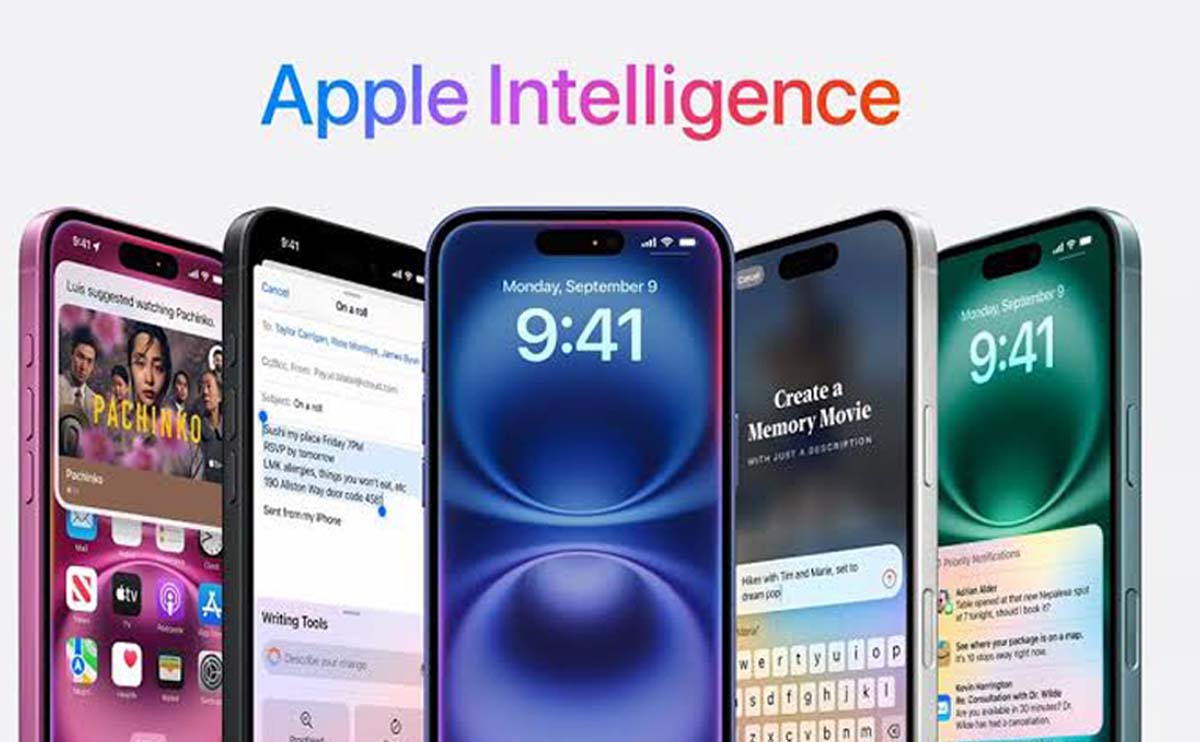
Apple Intelligence is Apple’s system of on-device and private cloud-based intelligent features for iPhone, iPad and Mac. On iPhone, it powers tools such as Writing Tools, summaries, image creation, Visual Intelligence and the new Siri AI experience.
Not every iPhone that can install the latest iOS version supports Apple Intelligence. The feature requires newer processors and sufficient memory for advanced on-device models.
Supported iPhone Models
Why the Standard iPhone 15 Is Not Included
The iPhone 15 and iPhone 15 Plus use the A16 Bionic chip, while the iPhone 15 Pro models use the A17 Pro and include the memory required for Apple Intelligence.
Software updates cannot add missing hardware capability. The standard iPhone 15 can receive iOS 27 but does not support the complete Apple Intelligence system.
Apple Intelligence Features Available on Supported iPhones
Software Requirements
The iPhone must run a supported version of iOS. Earlier Apple Intelligence features became available through iOS 18 and expanded significantly in iOS 26 and iOS 27.
Keeping iOS updated is important because new language support, security fixes, and feature improvements are delivered through software releases.
Language and Region Requirements
Apple Intelligence is available in a growing list of languages, including supported versions of English, Chinese, Danish, Dutch, French, German, Italian, Japanese, Korean, Norwegian, Portuguese, Spanish, Swedish, Turkish and Vietnamese.
Not every feature is available in every language or region. Siri AI launches in English first, and some features are limited or unavailable because of local regulations.
Storage and Download Requirements
Apple Intelligence models and resources require local storage. The exact amount can change as languages and features are added.
Users should maintain adequate free space and keep the iPhone connected to Wi-Fi and power while resources are downloading.
How to Check on Your iPhone
Frequently Asked Questions
Final Verdict
Apple Intelligence currently requires the iPhone 15 Pro generation or any iPhone 16 and later model. iOS 27 compatibility alone is not enough.
Before expecting a specific feature, verify the model, iOS version, language, and regional availability. These four factors determine the actual Apple Intelligence experience.